How to Set a Custom Alarm Sound on iPhone
Waking up to a sound you chose beats waking up to Radar. Getting your own audio into the Clock app is famously awkward. It does not have to be.
Quick answer: The Clock app plays its ringtones or a song from your Apple Music library, but the song option is notoriously unreliable and often drops to the default tone, and using your own audio file means buying a tone or converting one in GarageBand. Alarm Clock Planner imports any audio file straight from the Files app, saves a local copy so it plays every time, and trims it to 30 seconds automatically, alongside 19 built-in sounds.
Why custom sounds are hard in the Clock app
The Clock app gives you two options, and both have a catch. You can pick a song from your Apple Music library, but that path is famously flaky: alarms set to a library song often ring with the default tone instead, a problem people have hit for years, usually because the song was not kept as a local file and the alarm could not stream it in time. Or you can add your own tone, but only by buying one or taking the scenic route: import the audio into GarageBand, trim it, export it as a ringtone, and hope the steps have not changed since the last tutorial. It works, sometimes, but nobody enjoys it.
Set a custom alarm sound from Files
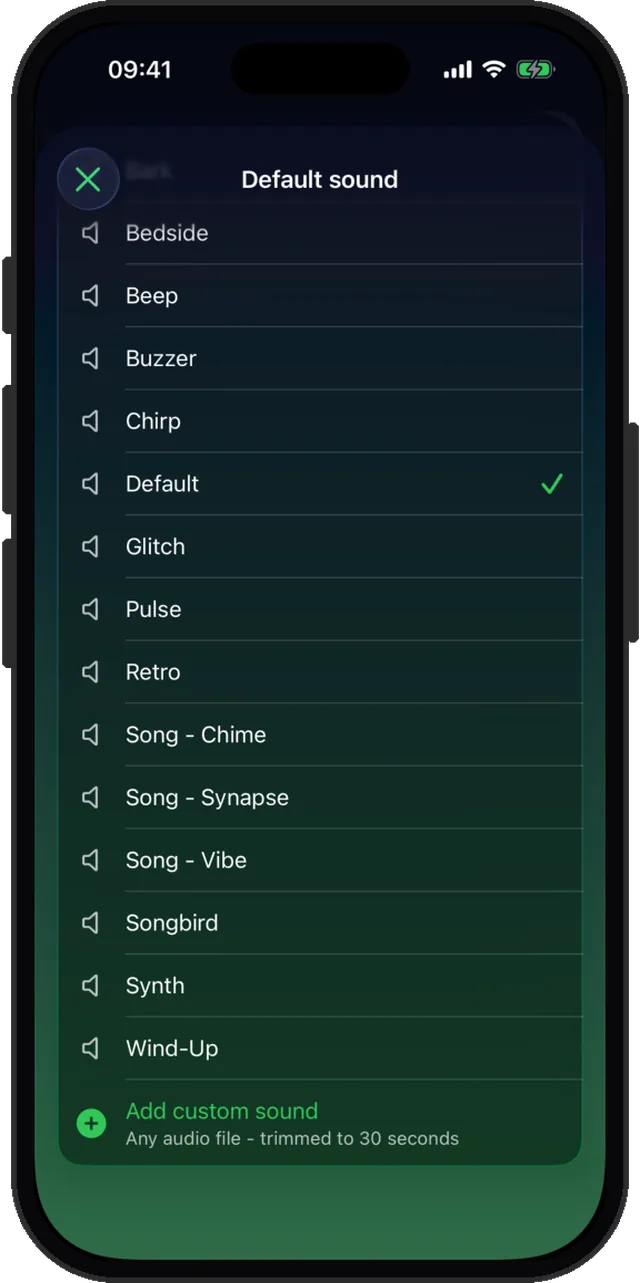
In Alarm Clock Planner the sound picker has an Add custom sound option at the bottom:
- When creating or editing an alarm, open the sound list.
- Tap Add custom sound and pick any audio file from the Files app.
- The file is trimmed to 30 seconds automatically, and a local copy is saved, so the alarm never depends on streaming and plays the same sound every single time.
- Your sound now sits in the list next to the 19 built-in tones, ready to assign.
Can you use a ringtone as an iPhone alarm sound?
In the Clock app, the alarm sound list is the ringtone list, so any tone you own is already available and any tone you buy shows up there too. What you cannot do is point it at an arbitrary audio file without converting that file into a ringtone first.
Here the distinction goes away. If the sound exists as a file, it can be an alarm: an M4A you exported, a voice memo you saved out, a track you own, a clip a friend sent you. It is imported as audio, not as a ringtone, so there is no conversion step and nothing to buy.
One sound per group, or per alarm
Sounds cascade: set one per alarm, or once per group, or as your app-wide default. Give the Family group a gentle tone and Work something with more edge, and you will know what is ringing before your eyes open. Groups are covered in the organizing guide.
Choose something you can stand at 6 AM
One practical warning from everyone who has tried it: a sound you love at noon is a sound you will hate by Thursday if it drags you out of deep sleep every day. Save the favorites for one-off alarms, and give the daily wake-up something neutral.
Wake up to your sound
Any audio file, 19 built-in tones, per-group sounds. Free for up to 3 alarms.