How to Set a Monthly or Yearly Recurring Alarm on iPhone
Rent on the 1st. An injection every second week. A renewal once a year. The Clock app cannot express any of these, because its only repeat unit is the weekday.
Quick answer: The built-in Clock app repeats alarms on days of the week and nothing else. Reminders can repeat monthly but sends a notification, not an alarm. Alarm Clock Planner supports monthly, yearly, every-other-week, and other custom intervals, with an optional end date, ringing like a real alarm.
What the Clock app can and cannot repeat
Open Repeat in the Clock app and you get seven checkboxes, Monday through Sunday. That covers daily routines and weekday routines, and that is the end of it. Monthly? Every second week? Once a year? There is no way to say it. As of iOS 26 this has not changed.
Reminders and Calendar are not alarms
The standard advice is to use the Reminders app, which does support monthly and yearly repeats. The problem: a reminder is a notification. It plays a short tone at notification volume, respects the Silent switch and Focus modes, and gives up after a moment. For a mid-day errand that is fine. For anything that must actually interrupt you, medication among other things, a notification is the wrong tool.
Real monthly and yearly alarms
In Alarm Clock Planner, the repeat menu thinks in dates:
- Tap the add button and set the time.
- Pick the starting date on the calendar, for example the 1st of next month.
- Choose the repeat: monthly, yearly, weekly, or an interval such as every 2 weeks or every 3 months.
- Optionally set an end date, useful when a medication course or a payment plan has a known finish line.
Some real patterns this unlocks:
- Monthly: rent, bills, giving the plants their feed, checking the smoke detector.
- Every 2 weeks: biweekly medication, alternating chores, payday routines.
- Yearly: birthdays and anniversaries that should ring, not just sit in a calendar.
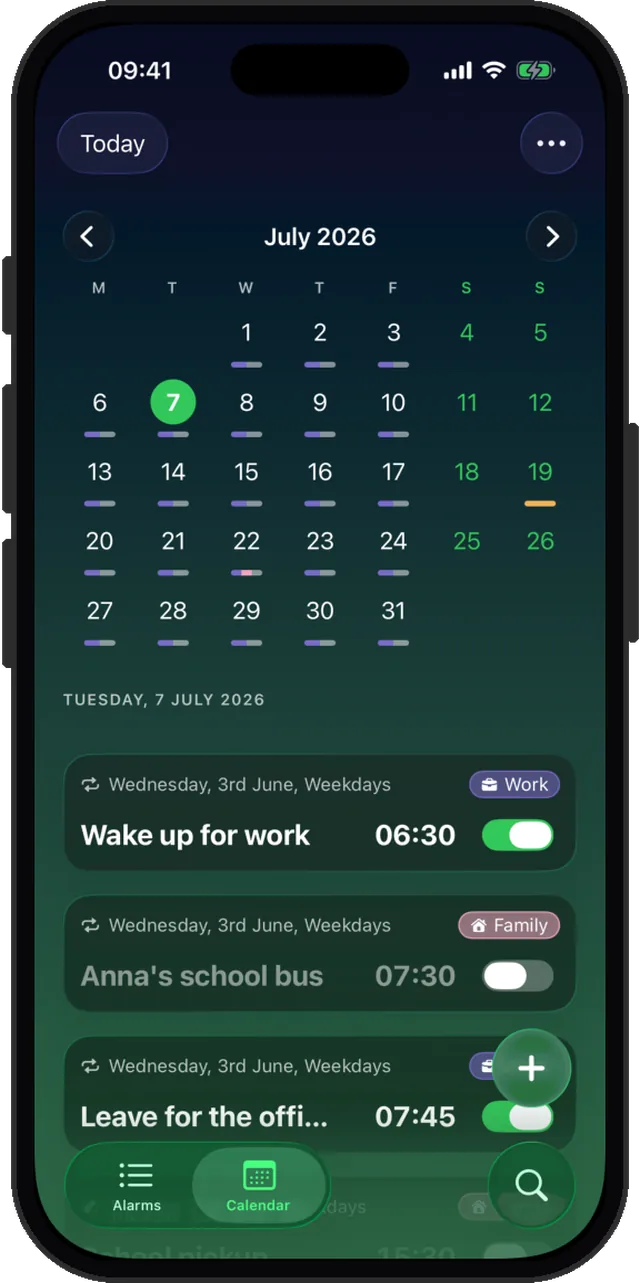
How to set an alarm for every other week
Every-other-week is the interval people ask for most, and it is the one the Clock app is furthest from: a fortnight is not expressible in weekday checkboxes at all. Here it is a weekly repeat with the interval set to 2.
- Create the alarm and pick the starting date. That date sets which week the alarm lands in.
- Set Repeat to Weekly.
- Set the interval to 2, for every 2 weeks. The same control goes up to every 12 weeks if you need a longer cycle.
The same interval control works on monthly and yearly, so every 3 months or every 2 years are set the same way. For the broader picture of which repeats exist, see the recurring alarm guide.
Keep the long-range stuff organized
Tag recurring alarms into groups like Bills or Health, and use the calendar view to sanity-check what is coming. If one occurrence lands on a day off, you can skip just that one without touching the schedule.
Repeats that match real life
Monthly, yearly, every other week. Free for up to 3 alarms.